ANNOUNCEMENTS
Welcome to Euro IPTV Forum! Check out the latest Channel Lists! Technical Support Available.
SPONSORED ADVERTISEMENTS
Sponsor 1 Sponsor 2 Sponsor 3

Information About: [TUTORIAL] How to Setup IPTV on TiviMate Player (Step by Step) ?

Welcome to the most updated discussion for [TUTORIAL] How to Setup IPTV on TiviMate Player (Step by Step) ?. At EuroIPTVForum, we regularly track and share updates in the Android Boxes, Firestick & Apps category to ensure you have access to the highest quality streams. This thread contains specific details, M3U lists, or community feedback intended for testing on Smart TVs, Android Boxes, VLC, and other compatible platforms. Please carefully read the instructions provided by the author below. Our main goal is to deliver buffer-free stability for sports, movies, and premium live TV channels globally.

Thread Rating:
  • 0 Vote(s) - 0 Average
  • 1
  • 2
  • 3
  • 4
  • 5
[TUTORIAL] How to Setup IPTV on TiviMate Player (Step by Step) ?
#1
[Image: tivimate.png]
TiviMate is arguably the best IPTV player for Android TV, Firestick, and Google TV. It offers a premium cable-like experience. Follow this guide to set up your M3U playlist in minutes.
Step 1: Install TiviMate
You can find TiviMate on the Google Play Store or sideload the APK to your Firestick using the "Downloader" app.
Step 2: Add Playlist
1. Open TiviMate and click on "Add Playlist".
2. Choose "M3U Playlist".
3. Enter the M3U URL you found on our forum (Euro IPTV Forum).
Step 3: Setup EPG (TV Guide)
1. Go to Settings > Playlists.
2. Select your playlist and click "EPG Sources".
3. Enter your EPG URL to see what's playing on each channel.
Quote:
[b]PRO TIP: For the best experience, use a high-speed internet connection and a VPN to avoid ISP throttling.[/b]
Need help? Drop a comment below and our community will assist you!
Check our daily updated lists here: https://euroiptvforum.com/
Reply


Messages In This Thread
[TUTORIAL] How to Setup IPTV on TiviMate Player (Step by Step) ? - by Root - 01-01-2026, 07:13 PM

Forum Jump:


Users browsing this thread: 1 Guest(s)

Recommended Gear For Buffer-Free IPTV

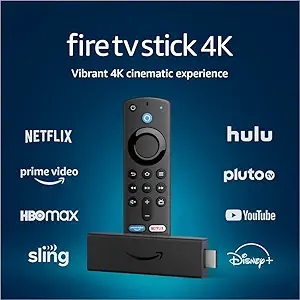
Fire TV Stick 4K
Amazon Fire TV Stick 4K
Best for Smarters & Tivimate
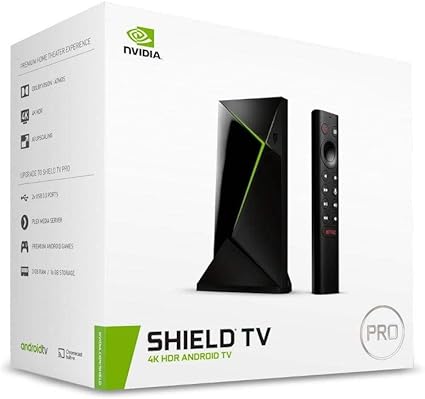
NVIDIA Shield TV Pro
NVIDIA SHIELD TV Pro
Ultimate 4K Experience
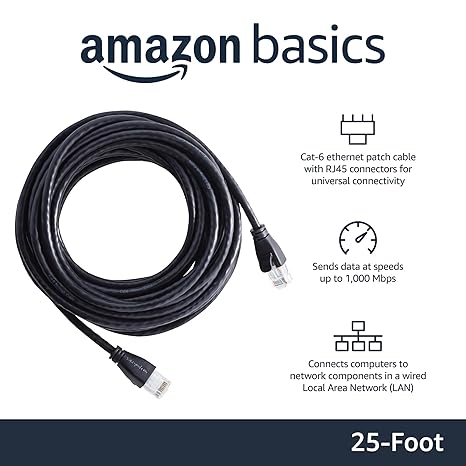
Cat6 Ethernet Cable
Cat6 Ethernet Cable
Stop Buffering, Use Wired